PricingOur Principles

Floware LLC • 3800 California Ave SW • Seattle WA 98116
Email info@floware.com

SHARED COLLECTIONS & projects
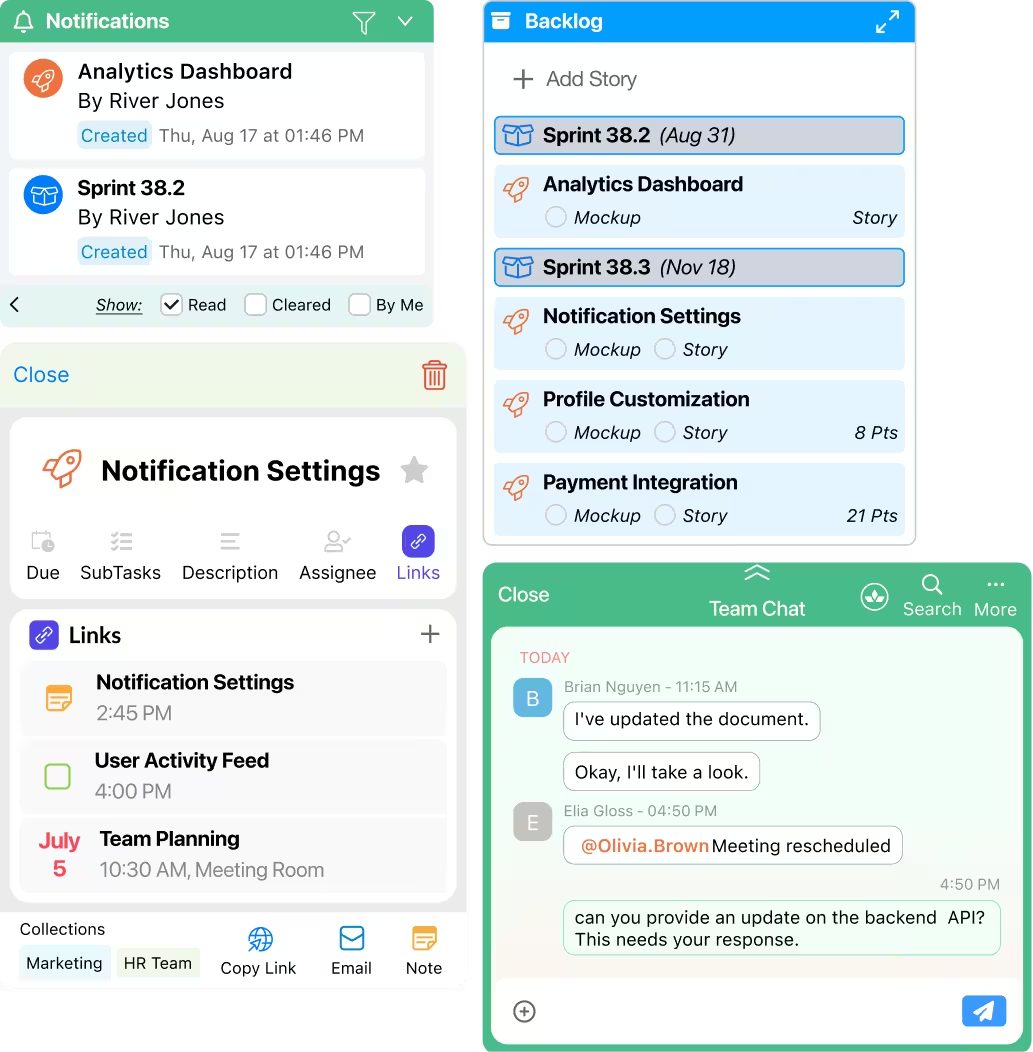
Share a Collection. Unlock a workspace.

Context without clutter.

“If you want to go fast, go alone. If you want to go far, go together.” - African proverb

A Shared Collection isn’t just a shared folder. It’s a built-in Workspace with everything your team needs: a Chat panel, an activity feed, and ToDo's with threaded comments. Assign items, drag them across status columns, and track progress together.

No separate project management tool. No new app to learn. No unfamiliar jargon. Just practical teamwork.

Nobody else makes it this easy.

Explore more
Flo Tech SpecsShared Collections & Projects

Essentials

  • Create Shared Collections
  • Invite and add members
  • Real-time sync across all platforms
  • Sub-collections (one level deep)
  • Trash and recover sub-collections
  • Settings per Shared Collection
  • Archive / hide Shared Collections
  • Channel (Calls/Chat) auto-created with every Shared Collection

Members & Roles

  • Owner, Editor, and Viewer roles
  • Remove member access
  • Share member list
  • Task delegation to members
  • Notifications for all shared object changes
  • @mention members in comments
  • Members accept or decline shared collection invite
  • Open Shared Collection from its associated channel

Agile Board

  • Stories, Bugs, Chores, Releases
  • Kanban view with Agile status lists
  • Story Points and Reviews properties
  • Blockers property
  • Assign Agile objects to multiple members
  • Sub-collections for organizing Agile objects
  • Drag and drop within Agile lists

Supported Objects

  • Notes (with comments and @mentions)
  • To Do's (with comments and @mentions)
  • Events
  • Contacts
  • Websites
  • Calls/Chat
  • Notifications list in Shared Collection